


































Taking a booking is the easy part. Securing it, without your team chasing card details or payment links, is harder.
Eat App now connects with five payment providers in Europe: Adyen, Worldpay, Nexi XPay, Klarna and Trustly. That means you can take payments at the point of booking through the tools you and your guests already use. Here’s what that changes for your guests, your team and your finance process.
Why payments belong in the booking flow
When payments sit in a separate system, staff re-enter details, reconcile by hand and absorb the cost of a no-show. Building the payment step into the reservation removes that handoff. The guest commits when they book, and your team doesn’t need to follow up.
What the integration does
- Deposits at booking. Where a card is used, a credit card authorization can be added to the booking flow. The deposit is held on the guest’s card and returned after they arrive.
- No-show protection. If a guest doesn’t show, the card is charged the deposit amount.
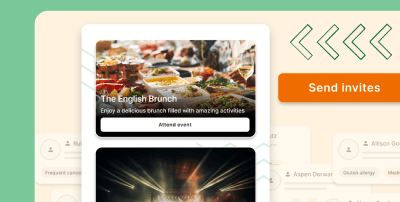
- Prepayment for experiences. Guests can pay in advance for set menus, packages, events, special areas and add-ons.
- Funds go straight to you. Payments route directly to your payment provider. Eat App doesn’t hold the money.
Works with the providers you already use
1. Adyen
A global payments platform used by businesses that want to accept many payment methods through a single provider. If you already process payments with Adyen, you can connect it to Eat App.
2. Worldpay
A payment processor that handles card payments for businesses of all sizes. If Worldpay already processes your payments, you can keep it for payments taken at booking.
3. Nexi XPay

Nexi’s online payment solution for merchants, widely used by businesses in Italy and elsewhere in Europe. Restaurants already working with Nexi can use XPay for booking payments.
4. Klarna
A payment method that lets customers pay in a way they already recognise and trust. Offering it gives guests another familiar option at checkout.
5. Trustly

A pay-by-bank method that lets customers pay directly from their bank account rather than with a card. It gives guests who prefer not to use a card another way to pay.
In every case, payments go directly to your own payment provider. Eat App doesn’t hold the funds.
What it means for your team
- Fewer manual steps. No more taking card details over the phone or entering them twice.
- A commitment on busy tables. Deposits give high-demand services a financial safeguard against no-shows.
- Familiar tools. You can keep the provider you already work with, so you don’t need to switch processors to start taking booking payments.
- One system for the whole booking. Reservations, guest data and payments connect in the same all-in-one reservation platform.
What it means for your guests
- A clear payment step during booking, using a method they recognise.
- More ways to pay, from cards to pay-by-bank, depending on your setup.
- Simple prepayment for events and special experiences, so they know their booking is secured.
Who it’s for
Independent restaurants that want to protect busy services and groups, hotels that already work with one of these providers and want booking payments to fit the setup they have.
Get started with Eat App's free trial

See it in action
Eat App is a guest management system built for restaurants and hotels, with reservations, table management, guest CRM and payments in one place. Book a demo to see how deposits and prepayments work for your restaurant.