![Eat App Logo - Small.png]](https://restaurant.eatapp.co/hs-fs/hubfs/Eat%20App%20Logo%20-%20Small.png?height=40&name=Eat%20App%20Logo%20-%20Small.png)
Guests won't be able to modify their reservation if a payment is attached to it unless the restaurant has enabled the feature to allow them.
A payment attached means that the booking includes or requires a payment.
If you need to make any changes, please contact the restaurant.
In this article:
Guests have two options to view or manage their online reservations:
- Through the Modify link included in email, SMS or WhatsApp notification
- Through Eat App (B2C web or app)
- To access B2C web (browser), log in here.
- To download Eat app for restaurant reservations on your device:
If notify restaurant is turned on, the restaurant owner will be notified about the changes on the reservation or the reason for cancelation, and the reservation will automatically be modified in Eat app.
Managing Reservation through Modify link
When guests make online reservations, they receive a reservation message (Requested or Confirmed) via email, SMS or WhatsApp messaging that includes a link to modify their reservation.
Through the modify link, guests can either update or cancel their reservation without having to login to the app.
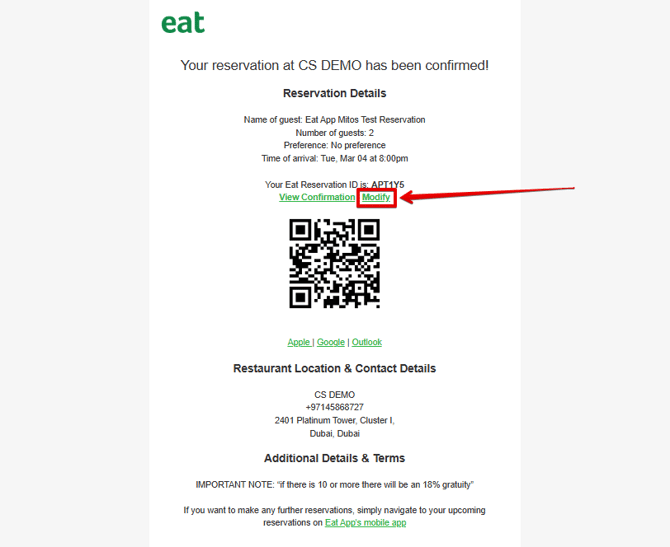
If the Modify Reservation button is no longer available, it means the reservation is happening within 24 hours or beyond the modification window set by the restaurant. For any changes, please contact the restaurant directly.
Managing Reservation through Eat App
Eat App (web)
- Go to eatapp.co to access Eat App via web.
- Once logged in, go to Reservations tab to view upcoming and past reservations.
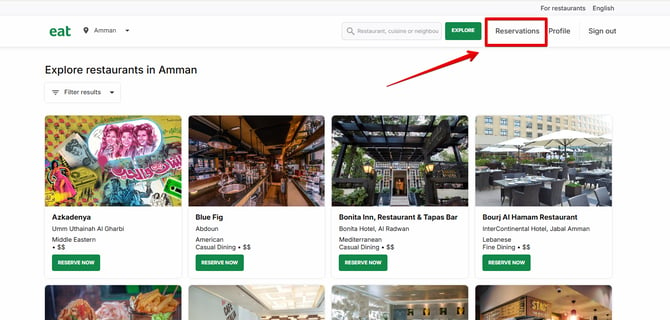
- Click View details of upcoming reservation to view or cancel it.
Eat App (device)
- Guests can download and install Eat App for Reservations from the links below:
- To login, tap More ••• > Profile.
Once logged in, upcoming reservations also appear at the Explore tab. - Guests can also go to Reservations tab to view or manage their upcoming and past reservations.
- If a reservation doesn’t appear, guests can import it by tapping IMPORT at the upper-right corner of the screen, and entering the mobile number linked to the booking and the Eat reservation ID, which is typically included in the reservation notification.