![Eat App Logo - Small.png]](https://restaurant.eatapp.co/hs-fs/hubfs/Eat%20App%20Logo%20-%20Small.png?height=40&name=Eat%20App%20Logo%20-%20Small.png)
Prerequisites :
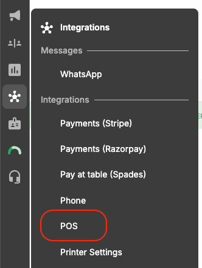
1. You must have connected your POS system to your Eat App account via integrations -> POS
If you need help connecting, please contact support@eatapp.co
2. All reservations must have a table attached to it.
Automatically change reservation status to 'Finished'
Step 1: Login to your Eat app account via app.eatapp.co
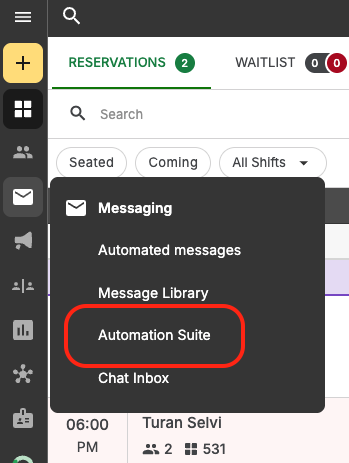
Step 2: On the side bar, locate Automation Suite inside Messaging
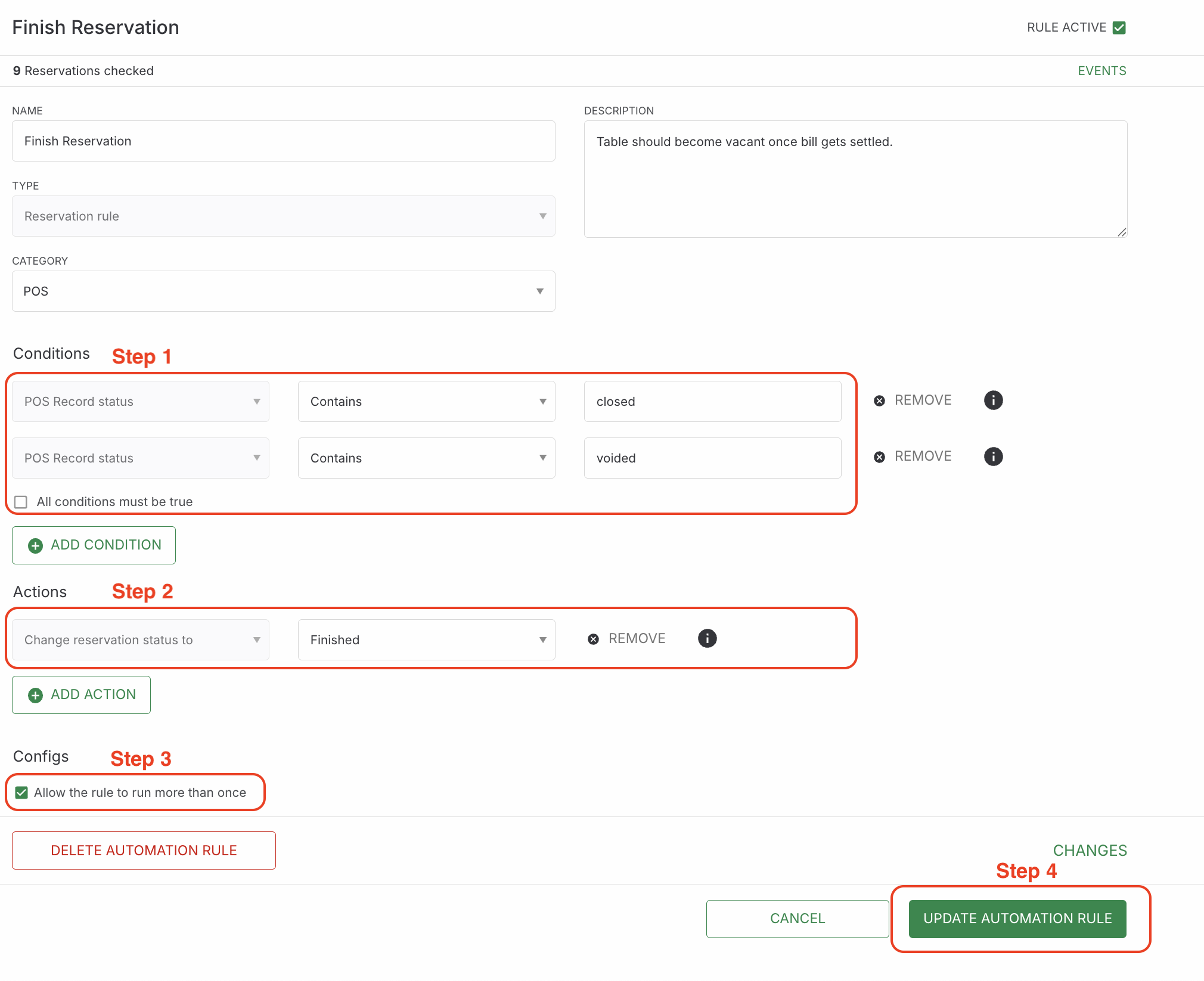
Step 3: Create a new automation rule with the following configuration