![Eat App Logo - Small.png]](https://restaurant.eatapp.co/hs-fs/hubfs/Eat%20App%20Logo%20-%20Small.png?height=40&name=Eat%20App%20Logo%20-%20Small.png)
Round Robin gives you a dedicated view for managing which servers are on shift and which tables each one is responsible for. Instead of tracking assignments on paper or reassigning tables one by one, you can mark servers as available, assign or reassign tables in a few clicks, and keep a fair rotation across your floor — all from one screen.
This is especially useful for restaurants with a fast-moving floor or multiple sections, where servers rotate through tables throughout a shift and you need an easy way to see who's covering what at a glance.
Availability: Round Robin is available on Desktop and iPad.
Open the Servers view
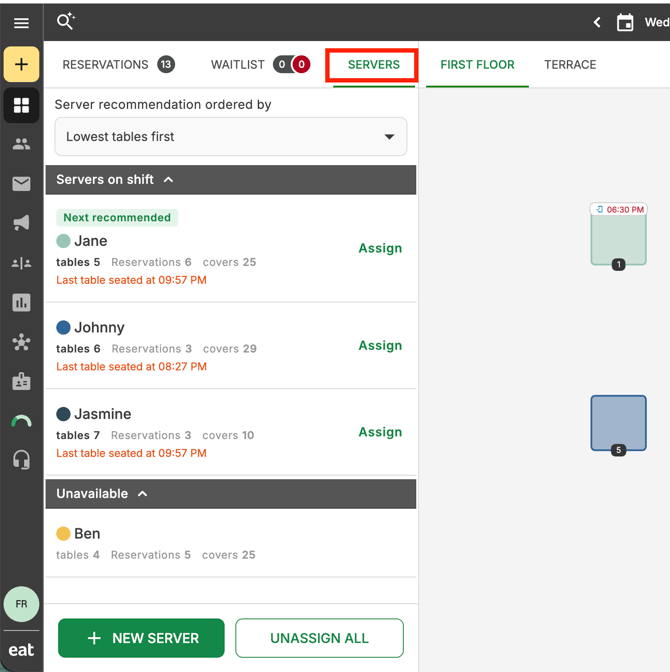
From your floor plan, open the Servers panel. You'll see your server list split into two sections:
- Servers on shift — servers who are currently available to take tables
- Unavailable — servers who are off shift or not currently taking tables
If everyone on your list is on shift, the Unavailable section will show as empty.
Mark a server as available or unavailable
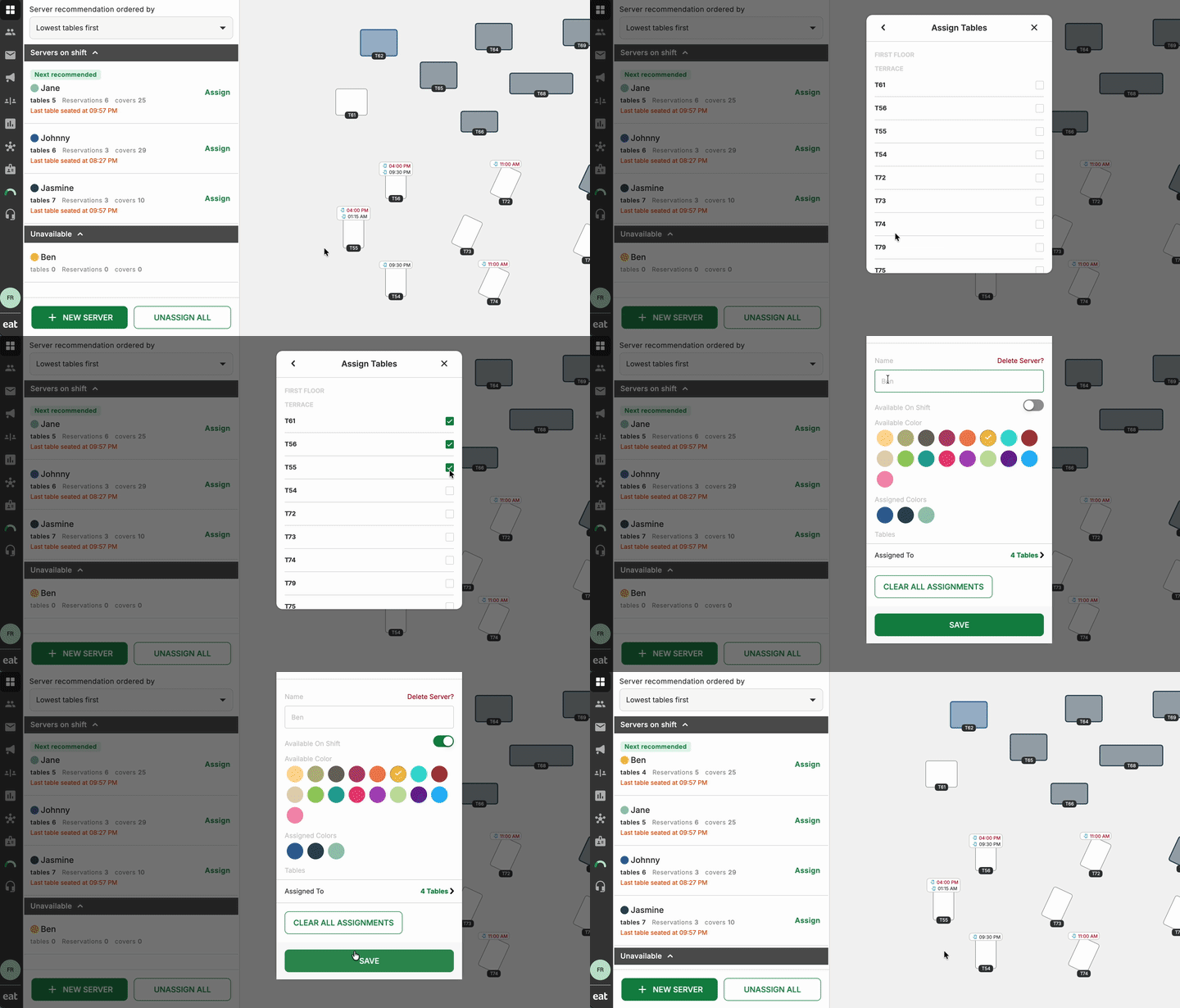
Each server has an Available on Shift toggle. Turn it on when a server clocks in or starts covering the floor, and turn it off when they go on break or their shift ends. Servers move automatically between the Servers on shift and Unavailable sections as you toggle this.
Tip: Only servers marked available on shift can be assigned tables through Round Robin, so this is the first thing to set up at the start of service.
Assign tables to a server
With a server selected from the Servers on shift list, select the tables you want to assign to them on the floor plan. Tables that are already assigned to another server will appear with reduced opacity while you're assigning, so it's easy to see what's still up for grabs.
Let Round Robin balance the rotation
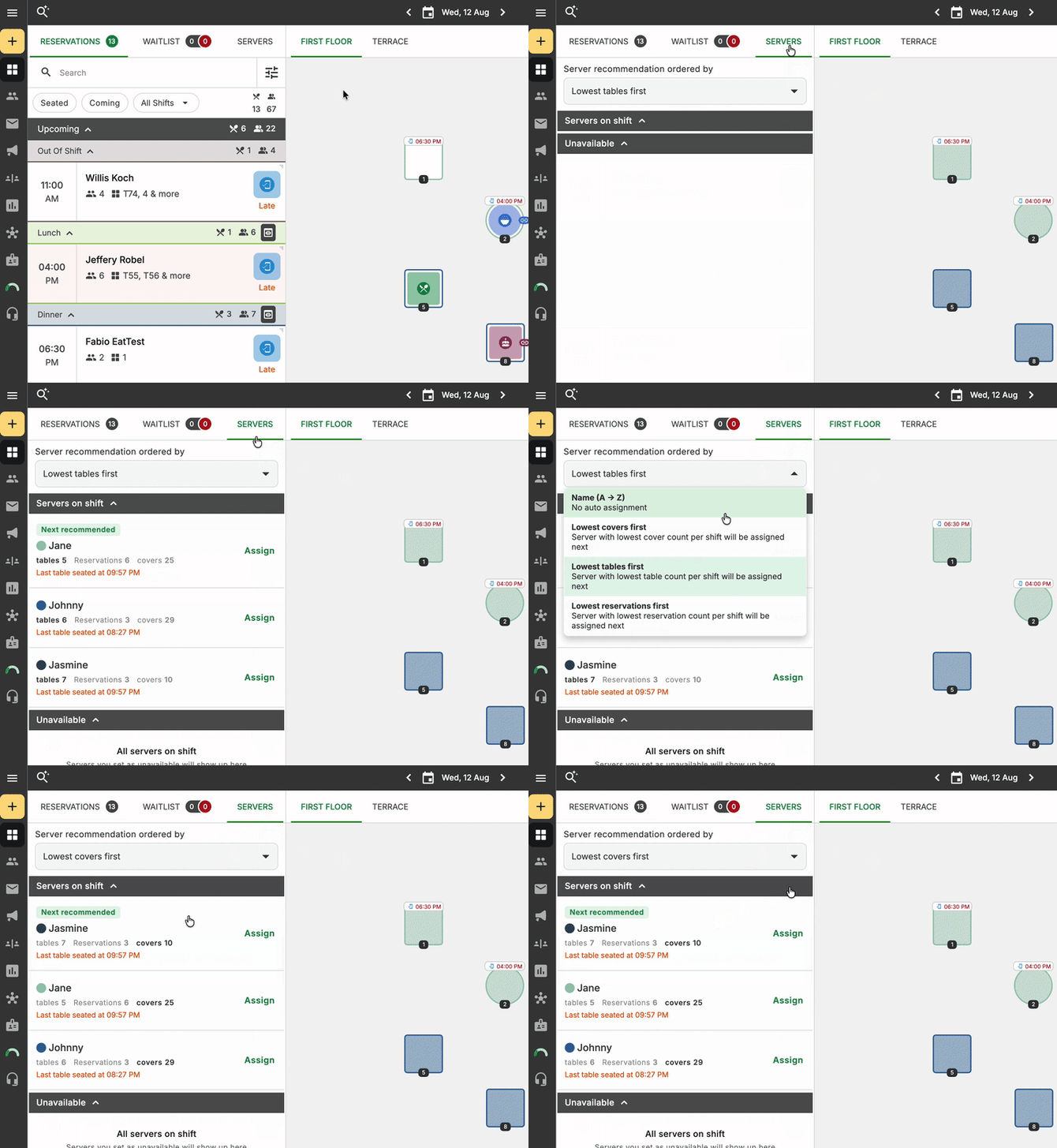
As you assign tables, Round Robin helps distribute them evenly across your available servers rather than stacking tables onto the same person. This keeps the rotation fair as the floor fills up and empties out over the course of a shift.
You can choose the criteria that makes more sense to your flow. Servers can be prioritized by tables, reservations or covers assigned to them:
Reassign or clear assignments
You can move a table from one server to another at any point during service — just reassign it the same way you assigned it the first time.
To start fresh (for example, at a shift change), use Unassign all to clear every table assignment for the day in one step, rather than removing them one by one.
Verify it worked
- Servers you've toggled on appear under Servers on shift; anyone toggled off appears under Unavailable.
- Selecting a server highlights their assigned tables, and tables assigned to other servers appear dimmed.
- Selecting Unassign all clears every table assignment for the current day.
- Switching to a different date shows that date's assignments, not the current day's.