


.svg)
.svg)
















.svg)

.svg)


-2-1.webp?width=200&name=image5%20(6)-2-1.webp)
%20(1)-1.webp?width=200&name=Eat%20(57)%20(1)-1.webp)
-1.png?width=1812&height=1072&name=TripAdvisor%20%26%20More%20Bookings%20(1)-1.png)
-2.png?width=1812&height=1072&name=Google%20Bookings%20(1)-2.png)
%20(1)-1.webp?width=200&name=Eat%20(62)%20(1)-1.webp)

-1.png?width=200&name=TripAdvisor%20%26%20More%20Bookings%20(1)-1.png)
-2.png?width=200&name=Google%20Bookings%20(1)-2.png)
-1.png?width=200&name=Instagram%20Bookings%20(1)-1.png)
-1-png.webp?width=200&name=Facebook%20Integration%20Rectangle%20(1)-1-png.webp)


.webp?width=200&name=download%20(1).webp)
%20(1)-2.webp?width=200&name=Eat%20(34)%20(1)-2.webp)
%20(1)-2.webp?width=200&name=Eat%20(18)%20(1)-2.webp)






Quick guide: 7 reservation mistakes hurting your restaurant
How we identified these common reservation mistakes
Running a restaurant means dealing with dozens of moving parts every service. Your restaurant reservation software should simplify your life—not create more problems.
After analyzing feedback from thousands of restaurant operators and reviewing industry research, we identified the booking errors that cost venues the most in lost revenue and guest satisfaction. Here's what we looked for:
- Revenue impact: How much money does this mistake cost you per month?
- Operational efficiency: Does fixing this free up your host stand team?
- Guest experience: Will addressing this bring guests back more often?
- Ease of correction: Can you fix this today without major investment?
- Scalability: Does the solution work whether you have one location or ten?
The 7 online reservation mistakes restaurants must fix
1. Manual booking across multiple channels
When your bookings come from phone calls, Google, Instagram, your website, and walk-ins, keeping track of everything in a paper diary or basic spreadsheet becomes a recipe for disaster. Double bookings happen. Tables sit empty while guests wait.Your host gets overwhelmed.
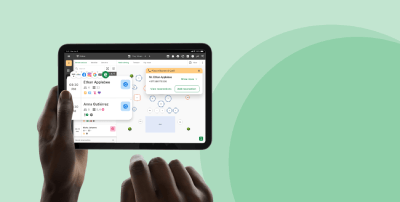
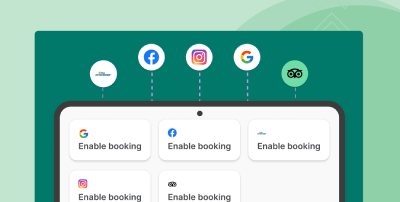
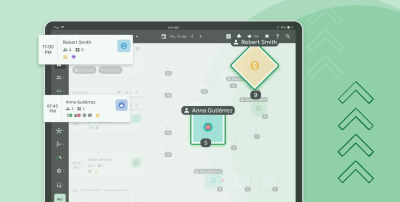
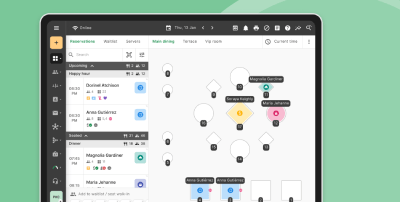
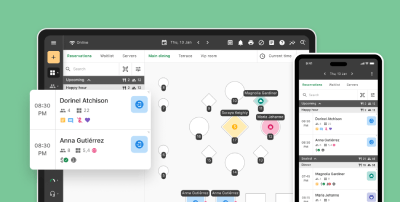
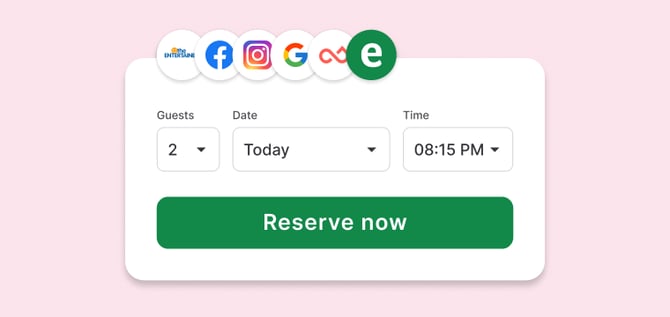
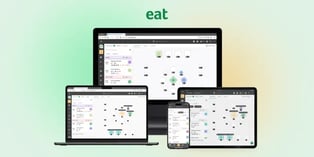
Eat App solves this by centralizing every booking channel into one real-time dashboard. Whether someone books through Google Reserve, Instagram, Facebook or your own website, the reservation appears instantly on your floor plan. No manual entry. No duplicate reservations.
This means your host team can focus on welcoming guests instead of frantically checking multiple systems.Eat App's AI-driven seating logic even suggests optimal table assignments based on party size, dining duration and server sections.
Eat App features that prevent multi-channel booking chaos
- 30+ booking channel integrations: Google Reserve, Instagram, Facebook, TripAdvisor, and your website all sync automatically
- Real-time floor plan updates: Every reservation appears on your interactive table map the moment it's made
- AI-powered seating suggestions: The system recommends the right table based on party size and expected dining time
- Waitlist management: Walk-ins get added to a digital queue that updates guests via SMS
- Multi-location dashboard: Manage reservations across all your venues from a single login
Eat App pros and cons
Pros:
- Centralizes all booking channels with zero per-cover fees
- AI-powered no-show prediction helps you overbook strategically
- Built-in WhatsApp, SMS and email marketing automation saves hours on guest communication
Cons:
- Advanced reporting features require the Professional plan, though most operators find the Starter plan sufficient
- Initial floor plan setup takes time to get your seating zones right, but support guides you through it
- Some niche POS systems require custom integration requests, though 30+ systems work out of the box
2. No automated confirmation reminders
If you're still calling every guest manually to confirm their booking, you're burning valuable staff time.Worse if you skip confirmations entirely your no-show rate climbs.
According to industry data, restaurants without automated reminders see no-show rates between 15-20%.Automated reminders cut that figure significantly by giving guests an easy way to confirm or cancel.
A cloud-based reservation system like Eat App sends automatic confirmation texts and emails at intervals you choose.Guests can confirm with a single tap or cancel without calling freeing up that table for someone who will show.
Automated reminder features
- Multi-channel reminders: Send via SMS, WhatsApp or email based on guest preference
- Customizable timing: Schedule reminders for 24 hours, 4 hours, or any interval before the reservation
- One-tap confirmation: Guests confirm directly from the message without logging in anywhere
Automated reminders pros and cons
Pros:
- Reduces no-show rates without adding staff workload
- Guests appreciate the convenience and professionalism
- Freed-up tables can be released back into inventory for new bookings
Cons:
- Older guests may prefer a phone call, so you can keep that option for VIPs
- Message templates need periodic updates to stay fresh
- International SMS delivery depends on carrier reliability in some regions
3. Ignoring table turnover optimization
Your 8pm tables are booked solid, but your 6pm and 9:30pm slots sit empty. Sound familiar? Many restaurants accept reservations without considering how table timing affects overall capacity.
Smart reservation management means pacing your bookings to maximize covers per shift. This involves setting realistic dining durations by meal type and configuring your system to space reservations for smooth service flow.
Eat App's table management platform lets you set dining duration rules by party size and meal type. The system then automatically suggests booking times that improve table turnover and service speed.
Table turnover features
- Customizable dining durations: Set different times for lunch, dinner, and late-night service
- Smart time-slot suggestions: The system guides guests toward times that balance your floor
- Real-time wait estimates: AI-powered wait time predictions keep your lobby informed
Table turnover pros and cons
Pros:
- Increases revenue per shift without adding tables
- Kitchen pacing improves when bookings arrive in waves
- Guests spend less time waiting for food when service isn't slammed all at once
Cons:
- Requires some trial and error to find your ideal dining durations
- Special occasions like anniversaries may need manual duration overrides
- Very small restaurants may have less flexibility to stagger arrivals
4. Failing to capture guest data
Every reservation is a chance to learn about your guests. Their dining preferences. Allergies. Favorite table.Birthday month. But if your reservation system doesn't capture and store this data you're starting from scratch with every visit.
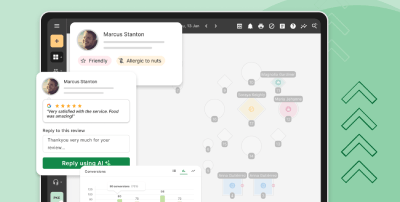
A guest CRM tool linked to your reservations turns one-time visitors into regulars. When a returning guest books, your host sees their history: last visit date, average spend, dietary notes and any past complaints.
Eat App's CRM and guest profiles automatically build detailed records from each interaction.Your team can add notes manually and the system pulls in data from POS integrations to track spending patterns.
Guest data features
- Automatic profile creation: Every booking creates or updates a guest profile
- POS integration: Spending history is automatically matched with POS checks
- Custom tags and notes: Mark VIPs, note allergies, flag difficult guests
Guest data pros and cons
Pros:
- Enables personalized service that makes guests feel recognized
- Marketing campaigns become targeted based on actual behavior
- You own your guest database it's not locked in a third-party network
Cons:
- Staff need to consistently add notes for profiles to stay useful
- Privacy regulations like GDPR require proper data handling procedures
- Large databases benefit from regular cleanup of outdated contacts
5. Disconnected POS and reservation systems
Your reservation system says table 12 is available. Your POS shows they're still eating dessert. This disconnect causes embarrassing moments when your host tries to seat a new party at an occupied table.
Linking your POS with your reservation platform means real-time status updates. When a check closes, the table status changes automatically. Your host knows exactly which tables are truly ready.
Eat App integrates with over 30 POS systems, automatically matching reservations with checks. This eliminates manual reconciliation and gives you accurate revenue data tied to specific bookings.
POS integration features
- Automatic table status updates: Tables flip to "available" when the check closes
- Revenue per reservation: See exactly how much each booking generates
- Server performance tracking: Connect sales data to table assignments
POS integration pros and cons
Pros:
- Eliminates the awkward "is this table ready?" guessing game
- Accurate spending data powers smarter marketing decisions
- Speeds up end-of-night reconciliation significantly
Cons:
- Initial integration setup requires coordination with your POS provider
- Some legacy POS systems offer limited integration depth
- Staff training ensures everyone understands the connected workflow
6. No deposit or prepayment policy
For special events, large parties, or Saturday nights, taking reservations without financial commitment leaves you exposed. A 10-top no-show on Valentine's Day represents significant lost revenue.
Deposits and prepayments convert casual interest into actual commitment. Guests who've paid something are far more likely to show up or at least cancel in time for you to resell the table.
Eat App supports flexible deposit collection and prepayment options for reservations. You can require payment for specific party sizes, events, or high-demand dates while keeping regular bookings free.
Deposit and prepayment features
- Flexible payment rules: Set deposits by party size, day of week, or specific events
- Secure payment processing: PCI-compliant collection protects guest card data
- Refund management: Handle cancellations and refunds directly in the platform
Deposit policy pros and cons
Pros:
- Dramatically reduces no-shows for high-value reservations
- Covers some costs even when cancellations happen
- Signals professionalism to guests who expect premium experiences
Cons:
- Some guests resist paying in advance, so clear communication is essential
- Refund requests require a defined policy your team can follow
- International payment processing varies by region and currency
7. Relying on phone-only bookings
If guests can only reach you by phone, you're missing reservations every time your line is busy or your restaurant is closed. Modern diners expect to book online at 11pm on a Tuesday without waiting on hold.
Online booking systems capture reservations 24/7. They also reduce front-of-house phone interruptions during busy service, letting your team focus on guests who are already in the building.
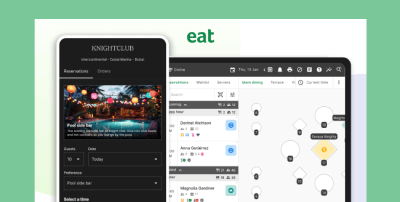
Eat App gives you multiple online booking touchpoints: an embeddable widget for your website, a direct booking page, and integration with Google, Instagram, and Facebook. Guests book when it's convenient for them, and the reservation appears on your floor plan instantly.
Online booking features
- Website widget: Embed a booking button directly on your homepage
- Google Reserve integration: Guests book straight from Google Search and Maps
- Social media booking: Instagram and Facebook "Reserve" buttons drive bookings
Online booking pros and cons
Pros:
- Captures bookings 24 hours a day without staff involvement
- Reduces phone call volume during service
- Meets guest expectations for digital convenience
Cons:
- Special requests may still require follow-up communication
- Older guests may need encouragement to try online booking
- Peak-time availability can sell out quickly without phone-hold "buffer"
Comparison table: Reservation mistake solutions
| Feature | Eat App | Basic Reservation Systems | Paper/Spreadsheet |
|---|---|---|---|
| Multi-channel sync | ✓ (30+ channels) | Limited (2-3 channels) | ✗ |
| Automated reminders | ✓ (SMS, WhatsApp, Email) | Email only | ✗ |
| AI no-show prediction | ✓ | ✗ | ✗ |
| POS integration | ✓ (30+ systems) | Limited | ✗ |
| Guest CRM built-in | ✓ | Basic | ✗ |
How do double bookings happen in restaurants?
Double bookings usually result from managing reservations across multiple channels without a centralized system. When your phone-in bookings don't sync with your Google reservations, or when two hosts accept walk-ins for the same table, conflicts occur.
The problem compounds during busy periods when staff take shortcuts. Someone scribbles a name in the book without checking the digital system. Another host confirms a phone booking without updating the floor plan. By 7pm, you've promised the same four-top to two different parties.
Preventing double bookings requires a single source of truth for all reservations. When every channel feeds into one system and that system updates in real-time your host team always sees accurate availability.
What features prevent no-shows in restaurant reservation systems?
The most effective no-show prevention combines multiple touchpoints. Automated reminders prompt guests to confirm or cancel. Deposit requirements create financial commitment. And predictive analytics flag high-risk reservations before they become empty tables.
Eat App's AI-powered no-show prediction analyzes booking patterns to identify reservations likely to cancel. This lets you strategically overbook during high-risk periods or require deposits from guests with poor attendance history.
Credit card holds offer another layer of protection. Guests know they'll be charged a fee if they don't show up, which dramatically improves commitment rates for popular time slots and special events.
Why Eat App is the best reservation software for preventing booking mistakes
The seven mistakes outlined above share a common thread: they stem from fragmented systems and manual processes. Eat App eliminates both by bringing every aspect of reservation management into one platform designed specifically for restaurant operations.
Unlike systems that treat reservations as a standalone function, Eat App links your bookings to guest profiles, POS data, and marketing automation. This means you're not just filling tables you're building relationships that drive repeat visits and higher average checks.
With Eat App's transparent pricing and permanent free tier, you can start fixing these mistakes today. The platform scales from single-location independents to multi-venue groups, so your reservation system grows alongside your business. Try Eat App and see how the right technology turns booking chaos into a competitive advantage.
Get started with Eat App's free trial




-2.png?width=314&height=175&name=Untitled%20design%20(11)-2.png)


.webp?width=144&height=72&name=Eat%20App%20Logo%20(3).webp "Eat App")