


.svg)
.svg)















.svg)

.svg)


.png?width=200&name=Untitled%20Design%20(28).png)
.png?width=200&name=Untitled%20Design%20(26).png)
-1.png?width=1812&height=1072&name=TripAdvisor%20%26%20More%20Bookings%20(1)-1.png)
-2.png?width=1812&height=1072&name=Google%20Bookings%20(1)-2.png)

-1.png?width=200&name=TripAdvisor%20%26%20More%20Bookings%20(1)-1.png)
-2.png?width=200&name=Google%20Bookings%20(1)-2.png)
-1.png?width=200&name=Instagram%20Bookings%20(1)-1.png)
-1-png.webp?width=200&name=Facebook%20Integration%20Rectangle%20(1)-1-png.webp)


.webp?width=200&name=download%20(1).webp)
%20(1)-2.webp?width=200&name=Eat%20(34)%20(1)-2.webp)
%20(1)-2.webp?width=200&name=Eat%20(18)%20(1)-2.webp)







Ask ten operators what restaurant management software means, and you'll get ten answers. One is picturing the terminal by the host stand. Another, the spreadsheet they use for food cost. A third, the booking widget on their website.
They're all right, which is exactly the problem.
The National Restaurant Association reported that 42% of operators said their restaurant was not profitable last year. No software fixes that alone. But the wrong stack - three tools that don't talk to each other, two of which you're quietly paying for twice - makes it worse.
So this guide skips the 500-product directory approach and breaks the category down by the job you're trying to do. Real pricing where vendors publish it.
What restaurant software actually covers
Most of what gets sold as restaurant management software falls into six buckets.
Point of sale. The restaurant POS system rings in the order, takes the money, and generates almost every number you'll later argue about.
Reservations and table management. Bookings, waitlists, floor plans, guest profiles. Where you either build a guest database you own or hand it to somebody else.
Online ordering. Direct online orders from your site, plus whatever you send through third party delivery apps.
Inventory management and food cost. Counting stock, costing recipes, catching waste before it eats your margin.
Scheduling and team management. Shifts, labor costs, and tip pools.
Accounting and analytics. Where the money went, and why.
Here's the part nobody says out loud: your restaurant POS choice quietly decides most of the rest. Whoever owns the transaction owns the reporting. Pick the POS software last, and you'll spend a year unpicking that decision.
Best restaurant management software: quick comparison
|
Tool |
Category |
Best for |
Starting price |
|
Eat App |
Reservations, CRM |
Owning your guest data |
$0/month |
|
SevenRooms |
Guest CRM |
Hotel groups, multi-unit |
Quote only |
|
OpenTable |
Reservations |
Discovery traffic |
Cover fees |
|
Square POS |
Point of sale |
Cafés, tight budgets |
$0/month |
|
Toast |
Point of sale |
One-vendor full service |
$69/month |
|
Lightspeed Restaurant |
Point of sale |
Multi-concept groups |
Quote-based |
|
TouchBistro |
Point of sale |
iPad full service |
$69/month |
|
SpotOn |
Point of sale |
Hands-on support |
Quote only |
|
MarginEdge |
Food cost |
Paper invoice piles |
Per location |
|
Supy |
Inventory |
Multi-site back of house |
Quote only |
|
7shifts |
Staff scheduling |
Labor cost control |
Free tier |
|
ChowNow |
Online ordering |
Commission free ordering |
Flat fee |
|
QuickBooks |
Accounting |
Almost everyone |
Free trial |
|
WaitWhile |
Waitlist |
Walk-in heavy venues |
Free tier |
|
Restolabs |
Online ordering |
Commission-free direct ordering |
Quote-based |
All-in-one platform or separate tools?
The all-in-one pitch is seductive. One login, one invoice, one support number to shout at.
For many restaurant owners, it's the right call. If you run one location and nothing connects to anything, an all-in-one platform saves more time than any best-in-class tool could. Toast, Lightspeed Restaurant, and Square POS all sell versions of this.
But an all-in-one has a real cost, and it isn't the monthly fee - you inherit the vendor's weakest module. Lightspeed Restaurant's inventory is strong, and its loyalty is average. Toast's restaurant POS system is strong, and its inventory is thin. Square's payment processing is excellent, and its reservation management barely exists. You end up bolting on separate tools anyway, except now you're doing it inside a contract.
The middle path is what most established restaurants land on: a strong restaurant POS system for transactions, a dedicated platform to manage reservations and own your guest data, and a specialist tool for whichever back-of-house problem is currently costing you the most money. Three vendors, one POS integration layer holding it together.
More moving parts, yes. Also how you avoid paying enterprise prices for a module you'd never choose on its own merits.
Reservation and table management software that owns your guest data
If you take bookings, this layer decides whether you build an asset or rent one.
Some platforms hand you the guest record — names, preferences, spend history, allergy notes. Others treat that customer data as theirs and let you look at it while you're paying. When you switch vendors, only one of those groups keeps its marketing list.
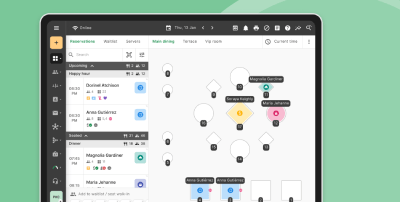
Good online restaurant reservation systems let you manage reservations, walk-ins, and waitlists in one view. The key features to insist on: online booking from your website and social channels, automated SMS or WhatsApp confirmations, a visual floor plan, waitlist handling, and detailed reports on covers, no-shows, and shift performance. If a vendor can't do all five, it's a booking widget, not restaurant table management software.
Eat App
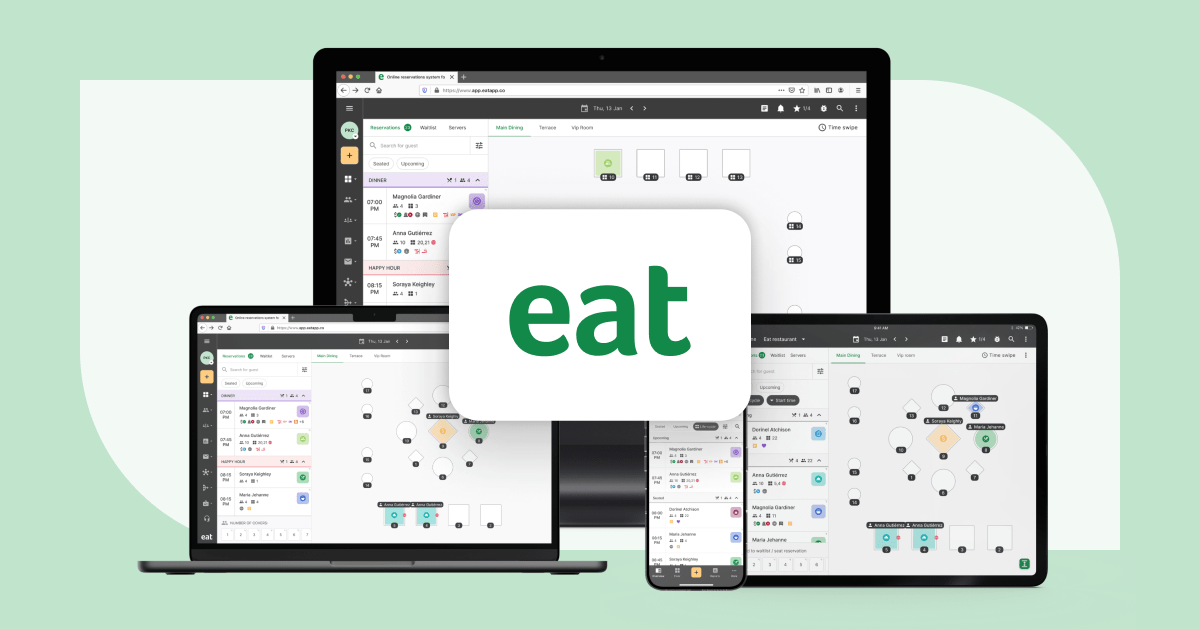
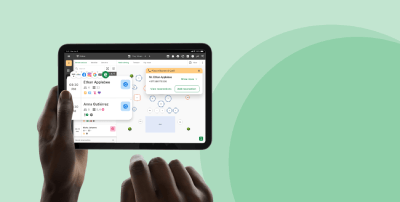
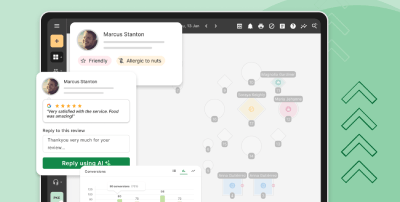
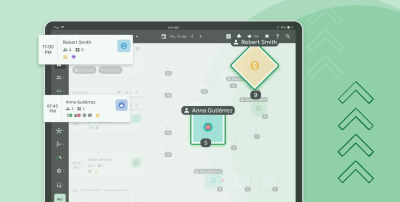
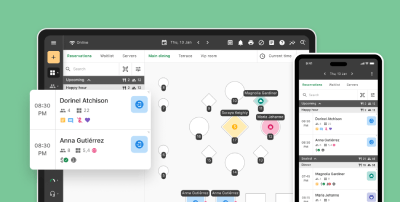
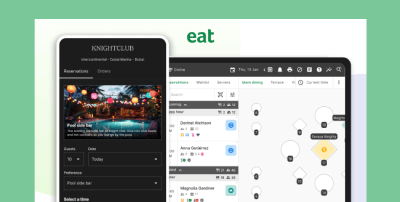
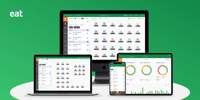
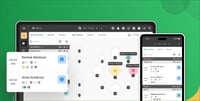
Eat App runs reservations, walk-ins, waitlists, and table management from one dashboard, with a guest CRM underneath that you fully own. It's built for full-service venues that care about repeat visits and customer experience rather than raw booking volume.
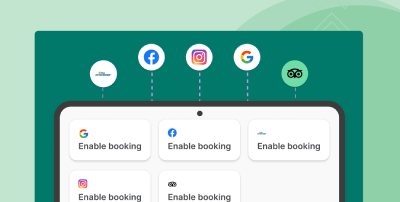
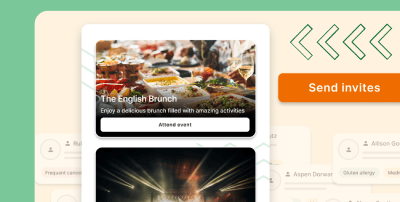
Key features: commission-free direct bookings from Google, Instagram, and your own site; AI-assisted seating suggestions; two-way WhatsApp and SMS messaging; automated marketing campaigns; and a POS integration layer covering 30-plus systems including Toast, Square POS, and Lightspeed Restaurant.
Where it wins is the guest record. Every visit, preference, and spend figure lands in a profile your team sees at the door, which makes personalized hospitality possible on a Friday night rather than in theory. The restaurant CRM side is the point, not an add-on, and it's what turns first-timers into repeat visits.
Where it doesn't: it isn't a POS, and it won't count your stock. Eat App sits alongside your restaurant POS rather than replacing it.
Pricing: there's a genuinely usable free plan at $0/month, with paid tiers at $69, $139, and $239 depending on what you need. Full pricing is published, which is rarer in this category than it should be.
SevenRooms
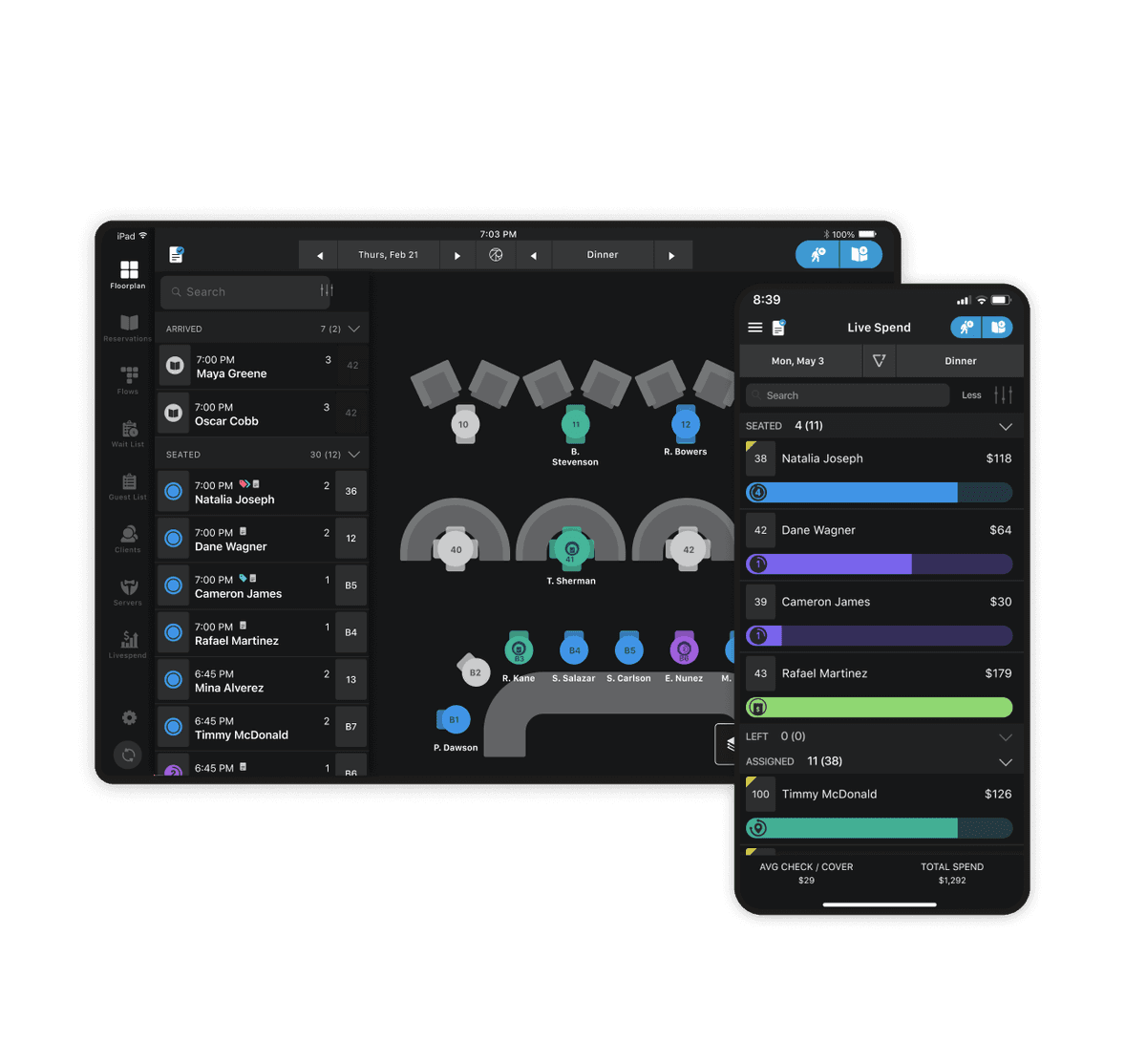
SevenRooms is the enterprise answer: deep guest profiling, strong automated marketing tools, and the segmentation hotel groups and collections with multiple locations actually use. It's quote-only, sales-led, and heavier than a single venue needs. One dining room and a host stand? Not your tool.
OpenTable
OpenTable's real product is demand. The diner network sends covers you wouldn't otherwise get, and the back end handles reservation management competently: floor plans, pacing, guest notes, shift reporting.
The trade-off is well known. You pay per cover, the fees compound as you grow, and the guest relationship runs through OpenTable's app rather than yours. Plenty of restaurants use it deliberately as an acquisition channel and keep their own front-of-house management system for everything after the first visit. That's reasonable. Running it as your only guest database is not.
Resy and Tock
Resy leans into events and ticketed nights. Tock built its model around prepaid bookings, which makes it the pick for tasting menus and anywhere no-shows are financially fatal. Both are narrower than they look — read a reservation system vs booking software comparison first.
Restaurant POS systems and the key features that matter
Every restaurant POS system demo looks the same. Here's what to actually interrogate.
Processing fees, not software fees. A 0.3% difference on a million dollars of card sales dwarfs any subscription in this article. Ask for the effective rate.
Offline mode. When the internet dies mid-service, does the terminal keep processing payments or become an expensive tray?
Real time data. Can a manager see labor as a percentage of sales during the shift, or only the next morning?
Contract length and hardware financing. Some advertised prices bundle 36 months of hardware and aren't comparable to prices that don't.
Whether the system integrates with what you already run — a named integration and a customer using it, not a logo on a slide.
Restaurant owners consistently underrate the first and last of those and overrate the number of features on the comparison sheet. The key features that survive contact with a Saturday night are rarely the ones on the brochure.
Square POS
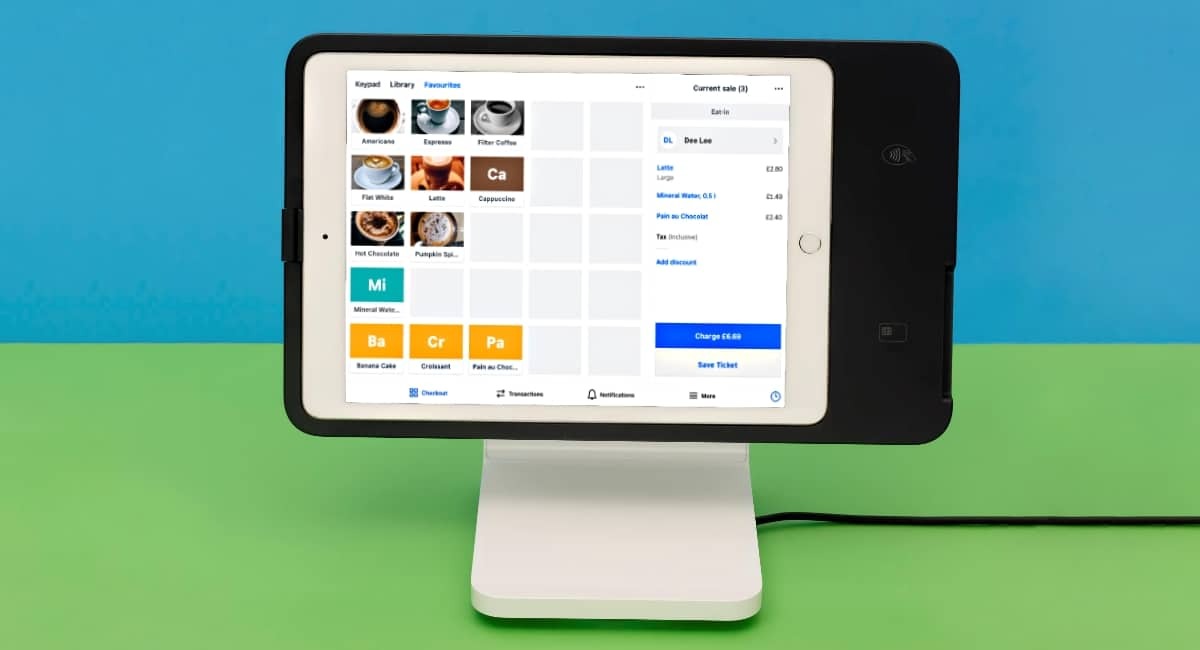
Square POS is the restaurant POS system most operators start with, and deservedly so. There's a real free plan, the hardware is cheap, setup takes an afternoon, and the user-friendly interface means new hires need roughly ten minutes of training.
Key features: menu and order management, table tracking, built-in online ordering, inventory basics, and a genuinely good offline mode.
The weakness is depth. Square built a cloud-based POS system for everyone - a retail store, a salon, a bakery - and full-service venues eventually hit the edges. A general-purpose cloud-based POS system will always trail one designed only for hospitality. Reservation management is thin, and food costing barely exists.
Pricing: free plan for basics, roughly $60/month per location for Plus, plus transaction fees on every sale.
Toast
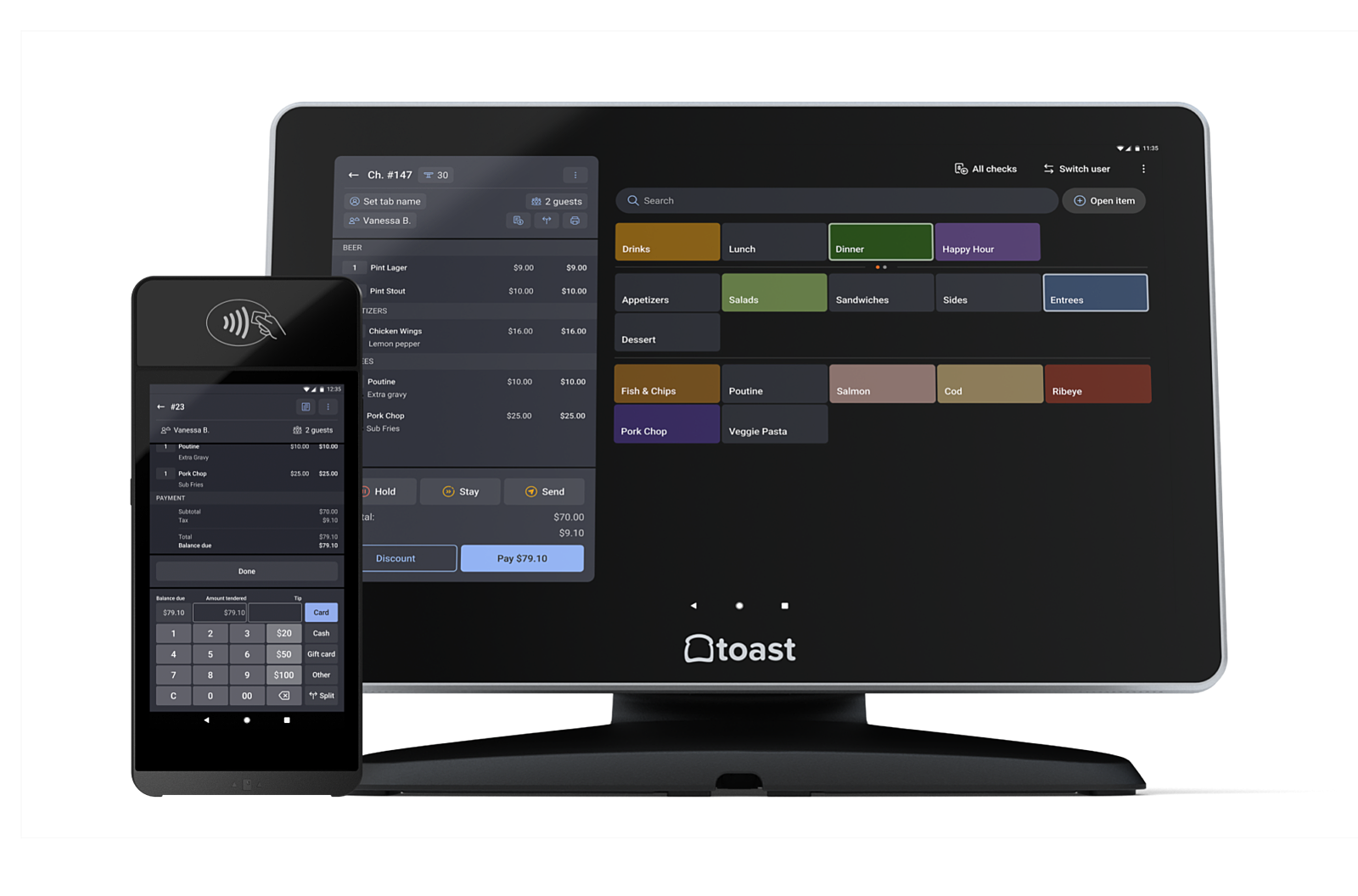
Toast is the restaurant POS system built specifically for restaurants, and it shows. Handhelds for tableside ordering, self ordering kiosks, kitchen routing, payroll, loyalty, online ordering the whole entire business runs inside one platform if you let it.
That breadth is the selling point and the catch. Modules are priced individually, so the $69 headline has little to do with what a full-service venue pays. Toast also runs its own payment processing, which you can't unbundle.
Best for: full-service and multi-unit operators who want one vendor and will pay for centralized control. More than one verified user in hospitality on G2 describes the appeal the same way everything in one place, one bill, one number to call. A verified user running a single site is usually less enthusiastic about add-on pricing.
Lightspeed Restaurant
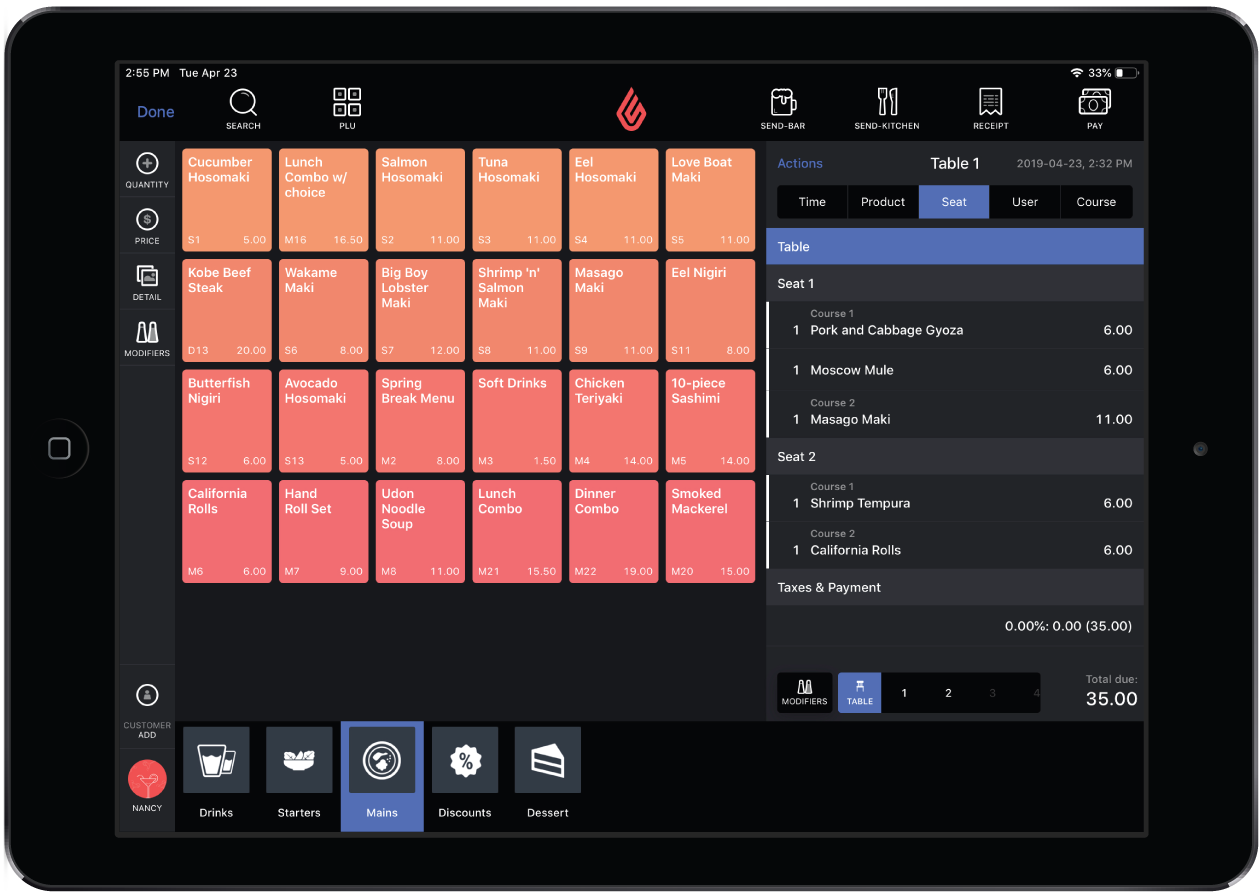
Lightspeed Restaurant is the strongest pick for hospitality groups running multiple locations or several concepts under one roof. Managing menus across sites is properly built into Lightspeed Restaurant rather than bolted on afterwards, the reporting goes deep, and the advanced features around inventory and supplier ordering beat most of the field.
Key features: multi-site menu control, supplier ordering, deep analytics, and a payments layer that keeps processing fees and sales data in one place.
The catch: Lightspeed Restaurant is more of a system than a single café will use, and pricing is quote-based, so budgeting means a sales conversation first. Independent restaurants with one dining room usually find Toast or TouchBistro cheaper to run.
TouchBistro
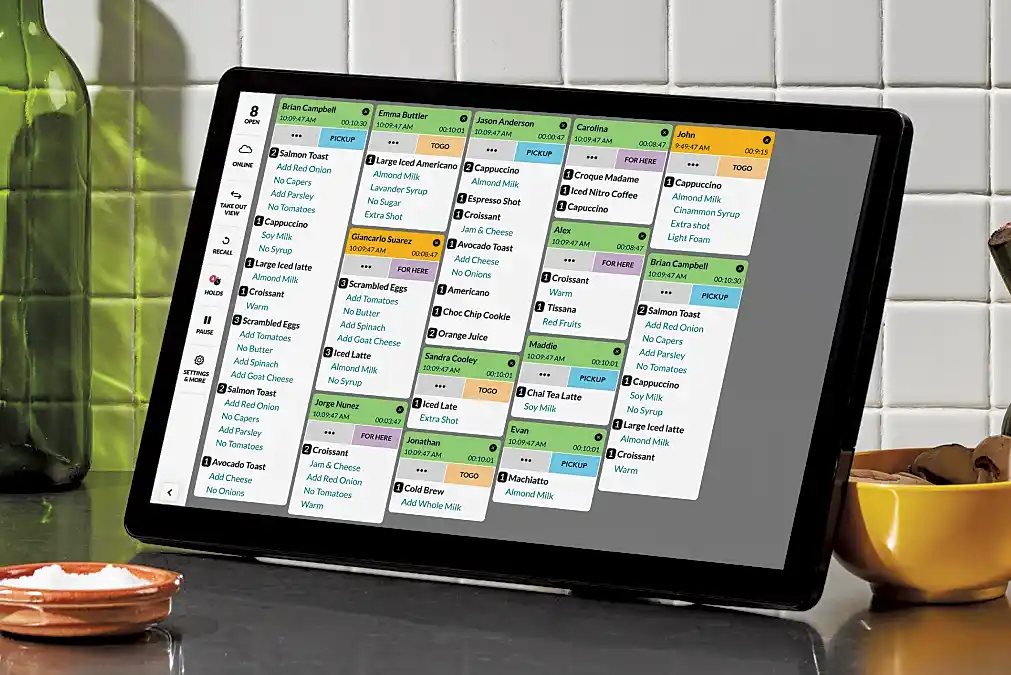
TouchBistro is an iPad-first restaurant POS system aimed squarely at full-service independents. Floor plans, tableside ordering, course management, and modifier handling are all done well, and pricing is unusually transparent for this category - $69/month for the core product.
Key features: floor plans, tableside ordering, course firing, staff permissions, and reporting a manager can read without training.
The catch: loyalty, reservations, and online ordering are all paid add-ons. Price the whole bundle before comparing.
SpotOn and Clover
SpotOn wins on service. Operators rate its onboarding above the software itself, which matters when you're switching systems mid-season.
Clover needs reading carefully. Flexible, big app marketplace, but pricing depends on which reseller sells it to you, and hardware financing is often folded into the monthly figure. Two Clover quotes for the same restaurant needs can differ by hundreds of dollars.
Restolabs
Restolabs is a commission-free direct online ordering platform built for independent restaurants that want to run pickup, delivery, and dine-in orders through their own channel instead of routing everything through third-party delivery apps.
Key features: branded online ordering websites and mobile apps, QR code table ordering, delivery zone management, real time analytics, loyalty tools, and integrations with major POS systems including Toast, Square POS and Lightspeed Restaurant.
Where it wins is economics. Every direct order comes in at zero commission, the customer relationship belongs to the restaurant rather than the platform, and multi-location operators can push menu updates, pricing, and delivery zones across every unit from one dashboard. Franchisors and multi-concept groups get consistent branding without giving up unit-level control.
Kitchen display system add-ons
A kitchen display system swaps paper tickets for screens that route items by station and time every order automatically. It kills manual order entry between front and back of house and gives you ticket times you can manage against.
Toast, Square POS and Lightspeed Restaurant all bundle a kitchen display system into higher tiers. If you run any volume of delivery alongside dine-in, this is the upgrade that most reliably calms a kitchen down.
Online ordering and direct sales software
Third party delivery apps solved a distribution problem and created a margin problem: twenty to thirty percent per order, and you don't get the customer data.
Direct online orders flip that. You keep the margin and the customer journey, and the ordering process feeds your own marketing list instead of somebody else's.
Square Online is the easy start if you already run Square POS: built in online ordering, no extra platform, orders landing straight in the restaurant POS system.
ChowNow sells commission free online ordering on a flat monthly fee. Direct orders cost the same whether you take fifty a week or five hundred, so the maths works well above a certain volume and badly below it.
Owner.com and BentoBox bundle ordering with a website — worth a look if the site itself is the bottleneck. How to make a restaurant website covers what to fix first.
Whichever route you take, direct orders are worth chasing: the built in tools that come with them - order history, marketing lists, repeat purchase data - belong to you.
For dine-in, QR code ordering is the quiet winner. Guests scan, browse the online menu, order, and pay without flagging anyone down. Our breakdown of restaurant QR codes covers setup, and pay-at-table tools like Sunday and Toast Go handle the payment end.
Inventory management and food costing tools
This is where the money is, and where most restaurants have the weakest software.
Your restaurant POS knows what you sold. It rarely knows what you bought. Bridging that gap is the whole job here, and it's worth more than any front-of-house upgrade.
MarginEdge digitises invoices, updates recipe costs daily and pushes clean data into your accounting system. Restaurants with a paper invoice pile start here.
Supy handles multi-site inventory management with real supplier ordering and waste tracking behind it. If you run Lightspeed Restaurant already, its stock module covers much of this before you buy anything extra, and Lightspeed Restaurant's supplier ordering is stronger than most POS-native tools.
Craftable and Restaurant365 go further into back-office territory, combining accounting with inventory management for groups. Both pull sales data from whatever POS system you run, so check the integration before committing.
Restaurant inventory management covers the process side, and menu engineering covers what to do once you know your true plate costs.
What good inventory tracking looks like
Real inventory tracking means tracking inventory against sales, not counting shelves. Stock should deplete automatically as items ring in through the restaurant POS system, variance between theoretical and actual usage should be flagged, and you should know which supplier quietly raised prices.
Tracking inventory manually works at one location. It stops working the moment you open a second, and tracking inventory across multiple locations without software is how groups discover a 4% food cost drift six months late.
Scheduling, payroll and team management
Labor is the cost line you can move week to week, which is why staff scheduling software pays for itself faster than almost anything else here. Get labor costs down two points and the subscription has already paid for itself twice over.
7shifts
7shifts is a restaurant HR and scheduling platform built around the labor side of the business: scheduling, time clocking, team messaging, tip pooling, payroll, hiring and training. It’s used by restaurants of all sizes, from single venues to multi-location groups and franchises.
Key features: shift scheduling with swap requests and manager approval, labor cost tracking against sales, a staff mobile app for availability and time-off requests, in-app team messaging, tip pooling and payroll with tax filing.
Where it wins: a dedicated labor toolset, with integrations to POS systems such as Toast, Square, Lightspeed, TouchBistro and Clover, so labor cost can sit alongside sales.
Where it doesn’t: it isn’t a reservation or guest-data tool, and its public integration list doesn’t include reservation systems. Pair it with a reservation platform if you want staffing tied to bookings.
Pricing: 7shifts offers a free plan with basic features and a paid Pro plan, plus a 14-day free trial. Check 7shifts’ pricing page for current plan details.
HotSchedules suits larger operations with complex compliance needs. Sling is the stripped-back, user friendly option for independent restaurants that only want a schedule builder.
If your team management problem is coordination rather than compliance, Eat App's shift management tools handle scheduling alongside the reservation book, tying front-of-house staffing to expected covers rather than a manager's guess.
One thing worth checking: whether scheduling software talks to your POS software. Labor percentage only means something next to sales, and if the two never speak you'll be exporting CSVs forever.
Loyalty programs that drive customer loyalty
Loyalty is the cheapest revenue in the building. Getting an existing guest back costs a fraction of winning a new one, and repeat business carries a restaurant through a slow February.
Modern loyalty programs are less about punch cards and more about knowing who's worth a reason to return. Repeat business compounds quietly, which is why the effect shows up a few months in. Toast Loyalty and Square Loyalty sit inside the restaurant POS, so enrolment happens at checkout with no staff effort. Eat App ties loyalty to the guest profile instead.
The best software here is whichever one your team will actually use during service. A programme nobody enrols guests into is a line item, not a strategy. Our roundup of the best restaurant loyalty apps and programs compares the options, and restaurant marketing strategies covers what to do with the list.
Built in marketing tools matter here too. A system that triggers a message to guests who haven't visited in ninety days is worth more than another dashboard.
The best restaurant software for food trucks and small counters
Food trucks, coffee counters and single-operator kitchens have a different problem: everything above is overkill.
What restaurant owners here need is a restaurant POS system that runs on a tablet, works offline when the signal drops, handles processing payments cleanly and doesn't lock them into a contract. Square is the obvious answer — free plan, cheap hardware, no commitment. Clover Go and SumUp are the other picks.
Skip reservations. Skip full inventory management until you run more than one vehicle. Add online ordering when the queue starts costing you sales. Our list of the best restaurant POS systems for small business goes deeper here.
How to choose restaurant management software
The mistake almost everyone makes is starting with features. Start with the leak.
1. Name the problem in numbers. "Service is chaotic" isn't a brief. "We turn tables in 95 minutes and should be at 75" is. You can't measure ROI on a vague complaint.
2. Pick the POS first, or confirm you're keeping it. Because the restaurant POS system anchors everything else, choose restaurant management software around your point of sale, not the other way around.
3. Ask for the all-in number. Software fee, hardware, onboarding, per-location charges, payment processing rate, every module the demo quietly included. In writing.
4. Test the integration; don't trust the logo. Every vendor promises seamless integration. Ask for a customer running the exact combination that matches your business needs, then call them.
5. Check who owns the data. If you leave in two years, what leaves with you? Guest records, sales history, menu configuration should all be exportable.
6. Involve the people using it. A user friendly system your servers like beats a powerful one they work around. This is the most common reason implementations fail, and it has nothing to do with the software.
Most rollouts take days now: floor plan, integrations, importing customer data, one training session. If a vendor quotes months for a single site, ask why. To cut manual entry further, automation in the restaurant industry covers what's realistic today.
The right software is the one your team actually uses
Eight in ten operators told the National Restaurant Association that technology gives them a competitive advantage, and 26% already use AI tools somewhere in the business, per Restaurant Dive's reporting. Adoption isn't the differentiator anymore. Choosing well is.
Find your most expensive leak. Buy the best restaurant management software for that job. Make sure it talks to your restaurant POS. Leave the rest alone until something else starts costing you money.
Want to see what a guest database you actually own looks like? Start free with Eat App and run your first service on it this week.


.webp?width=314&height=175&name=Chit%20Printer%20Banner%20(8).webp)


.webp?width=144&height=72&name=Eat%20App%20Logo%20(3).webp "Eat App")