


.svg)
.svg)














.svg)

.svg)


-2-1.webp?width=200&name=image5%20(6)-2-1.webp)
%20(1)-1.webp?width=200&name=Eat%20(57)%20(1)-1.webp)
-1.png?width=1812&height=1072&name=TripAdvisor%20%26%20More%20Bookings%20(1)-1.png)
-2.png?width=1812&height=1072&name=Google%20Bookings%20(1)-2.png)
%20(1)-1.webp?width=200&name=Eat%20(62)%20(1)-1.webp)

-1.png?width=200&name=TripAdvisor%20%26%20More%20Bookings%20(1)-1.png)
-2.png?width=200&name=Google%20Bookings%20(1)-2.png)
-1.png?width=200&name=Instagram%20Bookings%20(1)-1.png)
-1-png.webp?width=200&name=Facebook%20Integration%20Rectangle%20(1)-1-png.webp)


.webp?width=200&name=download%20(1).webp)
%20(1)-2.webp?width=200&name=Eat%20(34)%20(1)-2.webp)
%20(1)-2.webp?width=200&name=Eat%20(18)%20(1)-2.webp)






Double bookings rank among the most frustrating operational problems a restaurant can face.A guest arrives expecting a reserved table, only to find someone else already seated there.The host scrambles to find a solution while other diners wait and your team's carefully planned service unravels in minutes.
This guide covers why double bookings happen in cloud-based restaurant reservation systems and how you can prevent them.Eat App helps thousands of restaurants worldwide eliminate booking conflicts through real-time table management and intelligent automation.You'll learn the root causes, prevention strategies and setup practices that keep your floor plan running smoothly.
What causes double bookings in restaurants?
Double bookings happen when two or more reservations get assigned to the same table for the same time period. Understanding the root causes helps you address the specific vulnerabilities in your current setup.
Calendar sync delays create the most common pathway to double bookings.When a guest books through your website and another books via phone seconds later, both reservations might succeed if your system doesn't update instantly.The gap between booking and synchronization creates a window where conflicts slip through.
Manual entry errors and human oversight
Staff entering reservations manually during busy service periods make mistakes.A host might write down the wrong time, transpose digits in a party size, or assign a table that's already promised to another guest. Paper reservation books compound this problem since they can't alert you to conflicts.
Phone reservations taken while managing a full dining room divide attention and increase error rates. Your host juggles greeting arriving guests, answering the phone, and updating the reservation system simultaneously. Something eventually gets missed.
Multiple booking channels without integration
Restaurants that accept reservations from multiple sources your website, Google, social media and phone calls face higher double booking risk. Each channel needs to communicate with a central system that tracks all reservations in real time.
Without integration, you might have a table booked on your website while someone calls to reserve the same slot. Neither booking shows in the other channel until someone manually transfers the information. That manual step introduces delay and error potential.
Outdated Software and Disconnected Systems
Legacy reservation systems designed before cloud technology became standard often lack the real-time sync capabilities modern restaurants need. These older systems might batch-update availability every few minutes rather than instantly, creating windows for booking conflicts.
Desktop-based software that doesn't sync across devices creates information silos. Your host station might show different availability than what your manager sees on a tablet. This disconnection leads to conflicting bookings and confused staff.
How real-time reservation systems prevent double bookings
Cloud-based reservation platforms solve the synchronization problem at its source. When a booking enters the system from any channel, the table's availability updates instantly across all connected devices and platforms.
Eat App's reservation system demonstrates this principle in action. The moment a guest confirms a booking through your website, Google Reserve, Instagram, or any other connected channel, that time slot closes to prevent additional reservations. Your host station, manager's tablet, and online booking widget all reflect the same real-time availability.
Instant Availability Updates Across All Channels
Real-time sync means zero lag between booking and system update. A guest booking at 11:59 PM through your website triggers an immediate availability change that prevents anyone else from selecting that same slot, even if they started their booking process seconds earlier.
This instant synchronization extends to all your booking channels simultaneously. Integration with Google Reserve and social media platforms ensures bookings from any source reflect in your central system without delay.
Automated Blocking of Conflicting Time Slots
Smart reservation software doesn't just update availability—it actively prevents conflicts. Automated rules examine each incoming booking against your existing reservations and table configuration before accepting it.
These blocking rules account for more than just direct time conflicts. They consider table turnover time, service duration based on party size, and any buffer periods you've configured between seatings. A two-hour dinner reservation automatically blocks adjacent time slots to prevent overbooking your capacity.
Centralized Reservation Dashboard for All Staff
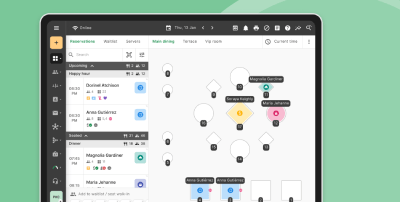
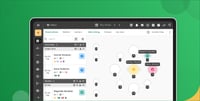
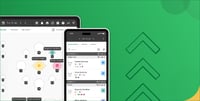
A unified dashboard gives every team member the same accurate picture of your restaurant's reservations. Whether accessed from the host stand, the manager's office, or a server's mobile device, the information remains consistent and current.
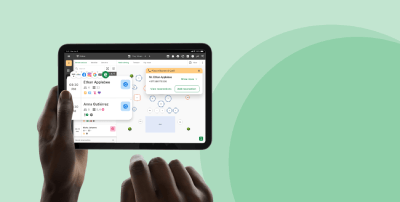
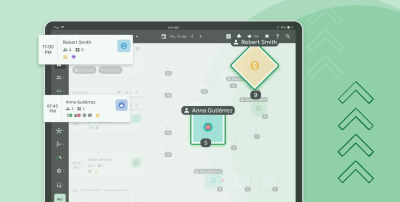
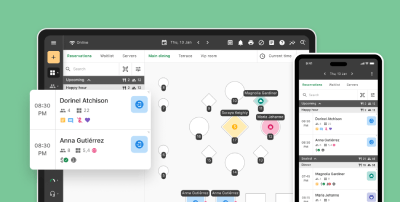
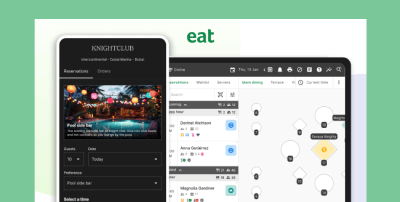
Eat App's multi-platform accessibility lets you manage reservations from any device in real time. Changes made on one device appear instantly on all others, ensuring your team always works from the same accurate information during service.
Setting up booking rules that eliminate conflicts
Automated booking rules serve as your first line of defense against double bookings. Properly configured rules prevent problematic reservations from entering your system rather than requiring you to resolve conflicts after they occur.
Effective booking rules balance flexibility for guests with protection for your operations. The goal is to make it easy for legitimate reservations while blocking configurations that would overload your capacity or create scheduling conflicts.
Configuring Table-Specific Availability Windows
Each table in your restaurant has different characteristics that affect booking logic. A four-top near the window might be your most requested table, while a two-top by the kitchen door rarely gets specific requests. Your booking rules should reflect these differences.
Set minimum and maximum party sizes for each table to prevent inefficient seating. A large party shouldn't be able to book a two-top, and a couple shouldn't occupy your biggest table during peak hours unless other options are full.
Setting Appropriate Dining Duration Estimates
Accurate dining duration estimates prevent back-to-back booking conflicts. If you estimate 90-minute dinners but guests typically stay two hours, you'll consistently face overlap problems as new reservations arrive before current parties leave.
Analyze your actual service data to set realistic durations. Many reservation platforms track average dining times by meal period, party size, and day of week. Use this data to configure duration estimates that match your real-world turnover patterns.
Building Buffer Time Between Seatings
Buffer time creates breathing room between reservations assigned to the same table. Even with accurate duration estimates, service timing varies. A 15-minute buffer between seatings prevents the cascade effect where one delayed table pushes back every subsequent reservation.
Configure buffers based on your restaurant type and service style. Fast-casual restaurants might need only five to ten minutes, while fine dining establishments benefit from 20 to 30-minute buffers that account for longer courses and more thorough table preparation.
Integrating your reservation system with other booking channels
Multi-channel booking requires tight integration to prevent conflicts. Every platform where guests can make reservations must communicate with your central system to maintain accurate, synchronized availability.
According to research on scheduling software adoption, businesses using integrated booking systems report significant reductions in no-show rates from automated reminders similar integration benefits extend to double booking prevention.
Linking Your Website Booking Widget to Your Central System
Your website's reservation widget should write directly to your main reservation database. Avoid systems where website bookings get emailed to staff for manual entry that process creates delay and error opportunities.
Direct database integration means a booking made on your website at 2 AM appears in your system instantly. When staff arrive the next morning, all overnight reservations already show on the calendar without any manual processing required.
Synchronizing Google Reserve and Social Media Bookings
Guests increasingly book through Google Search results and social media profiles. These external channels need the same real-time connection to your reservation system as your own website.
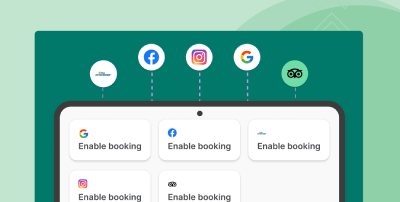
Eat App integrates with Google Reserve, Instagram, and Facebook to sync availability across all these platforms automatically. A booking through your Instagram profile updates your availability on Google and your website simultaneously, preventing conflicts across channels.
Managing Phone Reservations Without Creating Gaps
Phone reservations remain common, but they require real-time entry into your digital system to maintain synchronization. Train staff to enter phone bookings immediately rather than writing them down for later input.
Tablet-based reservation systems at the host stand make immediate entry practical. Your host can enter the reservation while speaking with the guest, confirming availability in real time before committing to the booking.
Training your team to use reservation software correctly
The best reservation software still requires proper human operation. Staff training ensures your team understands how to use the system in ways that prevent double bookings rather than create them.
Training should cover both daily procedures and edge-case scenarios. Your team needs to know standard booking entry, but also how to handle unusual situations like large parties, special events, or system outages.
Standard Procedures for Entering and Modifying Reservations
Establish clear protocols for reservation entry that all staff members follow consistently. This includes required fields to complete, proper table assignment procedures, and how to handle special requests or notes.
Modification procedures matter equally. When guests change their reservation time or party size, staff need to update the system immediately and completely. Partial updates leave dangerous gaps where conflicts can develop.
Handling Walk-Ins During Busy Periods
Walk-in guests during peak service create pressure that can lead to booking mistakes. Staff might promise a table time that conflicts with existing reservations if they don't check the system carefully before committing.
Teach hosts to always consult the reservation system before quoting wait times to walk-ins. The system shows not just current availability but upcoming reservations, helping predict when tables will actually become available.
Recognizing and Resolving Booking Conflicts
Despite prevention efforts, occasional conflicts may still occur. Staff need training on how to identify conflicts early and resolve them before guests arrive. Early detection allows time to contact guests and offer alternatives.
Resolution protocols should prioritize guest experience. If a conflict can't be prevented, having a clear procedure for how to apologize, offer alternatives, and potentially compensate affected guests maintains relationships despite the operational error.
Using automation to reduce manual booking errors
Automation removes human error from repetitive booking tasks. The more your system handles automatically, the fewer opportunities exist for manual mistakes that lead to double bookings.
Restaurant-specific automation goes beyond simple calendar management. AI-powered features can predict dining durations, suggest optimal table assignments, and automatically adjust capacity based on historical patterns.
Automated Confirmation and Reminder Messages
Automated confirmations verify reservation details with guests, catching errors before they cause problems on arrival day. If a guest's confirmation shows the wrong date or time, they'll alert you to the discrepancy.
Eat App's built-in email, SMS, and WhatsApp automation sends confirmations and reminders without staff intervention. This automated guest communication reduces no-shows while simultaneously providing error-checking that catches booking mistakes early.
AI-Powered Table Assignment Suggestions
AI-driven seating logic analyzes your floor plan, party sizes, and service timing to suggest optimal table assignments. These suggestions prevent the suboptimal manual assignments that can create capacity conflicts.
Machine learning improves these suggestions over time by analyzing your actual service patterns. The system learns which tables turn fastest during lunch versus dinner, which server sections handle large parties best, and how to maximize capacity without creating service bottlenecks.
Smart Wait Time Estimation
Accurate wait time estimates prevent overbooking from walk-in traffic. If your quoted wait times are too optimistic, guests expect tables sooner than they become available, creating pressure to seat parties prematurely and disrupt existing reservations.
AI-powered wait time estimation considers current occupancy, reservation timing, historical turnover data, and party sizes to generate accurate predictions. Guests receive realistic expectations, and hosts avoid the temptation to make promises the floor plan can't support.
Monitoring and analyzing your booking data
Data analysis reveals patterns in your reservation flow that might indicate double booking risks. Regular monitoring catches potential problems before they manifest as guest-facing conflicts.
Most cloud-based reservation platforms include reporting tools that track booking patterns, cancellation rates, and capacity utilization. These reports give you the visibility needed to optimize your setup continually.
Tracking Near-Misses and Close Calls
Your system's logs may reveal booking attempts that the system successfully blocked. Analyzing these near-misses shows where pressure points exist in your reservation flow and whether your current rules adequately protect against conflicts.
High volumes of blocked bookings at certain times might indicate opportunities to expand capacity or adjust service timing. Alternatively, they might reveal guests attempting to game your system in ways that require rule adjustments.
Identifying Peak Conflict Times
Double booking risk varies by day and time. Saturday dinner service likely carries higher risk than Tuesday lunch simply due to booking volume. Identifying your highest-risk periods helps you focus prevention efforts where they matter most.
Schedule your most experienced hosts during peak conflict times. Their familiarity with the system and judgment in handling unusual situations gives you an additional layer of protection when booking pressure is highest.
Measuring System Performance and Reliability
Monitor your reservation system's technical performance to ensure it maintains real-time synchronization. Sync delays measured in seconds might seem minor, but during high-volume booking periods, even brief delays create conflict windows.
Cloud-based systems like Eat App track system uptime and synchronization performance automatically. Review these metrics periodically to ensure your technical infrastructure supports the real-time booking management your operation requires.
What to do when a double booking occurs
Despite best prevention efforts, double bookings occasionally happen. Having a clear response plan minimizes guest impact and helps your team handle the situation professionally.
The key is early detection and proactive communication. A double booking discovered hours before arrival allows time for solutions. One discovered as both parties stand at the host stand creates a crisis with fewer options.
Early Detection Through System Monitoring
Review your reservation list at the start of each service period specifically looking for conflicts. Check tables with back-to-back reservations and verify timing allows adequate turnover. Look for party sizes that exceed table capacity.
Some reservation systems flag potential conflicts automatically. Enable these alerts and ensure they route to staff members positioned to investigate and resolve issues before service begins.
Guest Communication and Alternative Options
When you identify a conflict, contact the affected guest immediately. Apologize sincerely, explain the situation briefly, and present alternatives. Options might include different table, adjusted timing, or seating at the bar while waiting.
Proactive communication shows respect for the guest's time and demonstrates your commitment to their experience. Most guests respond positively when contacted early with genuine apologies and reasonable alternatives.
Service Recovery and Relationship Repair
Double bookings damage guest relationships, but thoughtful recovery can rebuild trust. Consider complimentary items, priority seating on future visits, or other gestures that acknowledge the inconvenience you caused.
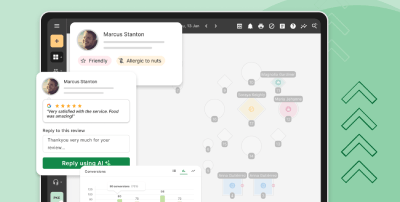
Document incidents and resolutions in your guest profiles. This information helps personalize future service and ensures follow-through on any promises made during resolution. Eat App's CRM and guest profiles track these details automatically for consistent service recovery.
Choosing reservation software that prevents double bookings
Not all reservation systems offer equal protection against double bookings. When evaluating options, prioritize features that address the root causes of booking conflicts.
Real-time synchronization capabilities matter most. A system that updates availability instantly across all channels gives you the foundation for double booking prevention. Without this capability, other features become less effective.
Essential Features for Booking Conflict Prevention
Look for systems offering real-time sync across all booking channels, automated conflict detection, configurable booking rules, and full table management tools. These features work together to prevent conflicts at multiple points in the booking process.
Integration breadth matters too. The system should connect with Google Reserve, social media platforms, and your website while providing reliable phone booking capabilities. Gaps in channel coverage create gaps in protection.
Scalability for Growing Operations
Your reservation system should accommodate growth without losing synchronization reliability. Multi-location restaurant groups need centralized management with location-specific configurations and real-time visibility across all venues.
Eat App supports multi-venue operations with centralized reporting and location-specific settings. This architecture gives you consistent double booking prevention across expanding restaurant groups while allowing individual locations to configure rules appropriate to their specific operations.
Support and Training Resources
Implementation quality affects double booking prevention outcomes. Even excellent software requires proper setup and staff training to deliver its full protective capability.
Evaluate the support resources available during and after implementation. Responsive customer support, detailed documentation, and training materials help ensure your team uses the system correctly from day one. Eat App offers 24/7 customer support trusted by restaurants in 90+ countries worldwide.
Get started with Eat App's free trial

.png?width=670&height=440&name=Google%20reservations%20(1).png)


.webp?width=144&height=72&name=Eat%20App%20Logo%20(3).webp "Eat App")