











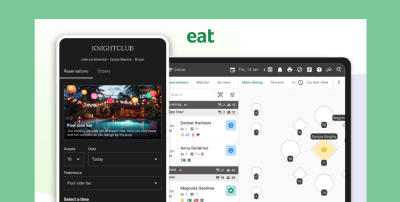





















Taking a booking is the easy part. Making sure the guest shows up and that your team isn’t chasing card details by phone, is harder.
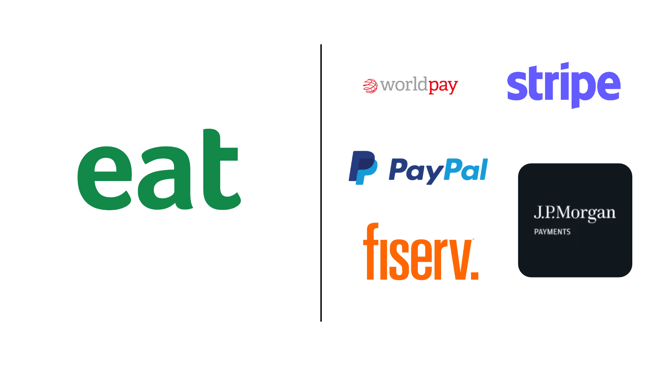
Eat App now connects with five payment providers in the US: Worldpay, J.P. Morgan, Fiserv, Stripe and PayPal/Braintree. That means you can take a deposit or a prepayment at booking through the payment provider you already use. Here’s what that changes for your guests, your team and your finance process.
Why payments belong in the booking flow
When payments sit in a separate system, staff re-enter details, reconcile by hand and carry the cost of a no-show on their own. Adding a card step to the reservation itself removes that handoff. The guest commits at the moment they book, and your team doesn’t have to follow up.
What the integration does
- Deposits at booking. Add a credit card authorization to the booking flow. The deposit is held on the guest’s card and returned after they arrive.
- No-show protection. If a guest doesn’t show, the card is charged the deposit amount.
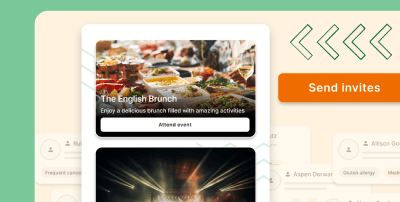
- Prepayment for experiences. Guests can pay in advance for set menus, packages, events, special areas and add-ons.
- Funds go straight to you. Payments route directly to your payment provider. Eat App doesn’t hold the money.
Works with the provider you already use
Eat App’s US payment integrations cover:
1. Worldpay
A payment processor that handles card payments for businesses, from single restaurants to large groups. If Worldpay already processes your payments, you can take deposits and prepayments through Eat App without changing providers.
2. J P Morgan
J.P. Morgan Payments is the card-processing and merchant services arm of J.P. Morgan. It suits restaurants and hospitality groups that already bank or process payments with J.P. Morgan and want booking payments to run through that same relationship.
3. Fiserv
A financial technology and payments company that provides card processing and point-of-sale services to merchants. If your restaurant already works with Fiserv, you can keep it for deposits and prepayments taken at booking.
4. Stripe

An online payments platform that lets businesses accept cards and other payment methods on the web. Restaurants that already use Stripe can connect it to Eat App and collect booking deposits and prepayments through their existing account.
5. Paypal/Braintree
PayPal is a widely recognised checkout, and Braintree is PayPal’s payment gateway for businesses. If you already take payments through PayPal or Braintree, you can use them for deposits and prepayments at booking.
Because you can keep your existing provider, you don’t need to switch banking relationships or processors to start taking deposits and prepayments.
What it means for your team
- Fewer manual steps. No more taking card details over the phone or entering them twice.
- A commitment on busy tables. Deposits give high-demand services a financial safeguard against no-shows.
- Simpler money flow. Payments land in your own payment provider account, so they sit with the rest of your payment activity.
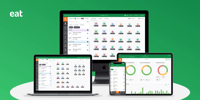
- One system for the whole booking. Reservations, guest data and payments connect in the same all-in-one reservation platform.
What it means for your guests
- A clear card step during booking, with the deposit returned after they arrive.
- Easy prepayment for events and special experiences, so they know their booking is secured.
- A booking process that feels like one step, not a phone call and a separate payment link.
Who it’s for
Independent restaurants that want to protect busy services, and groups and hotels that already work with one of these providers and want deposits and prepayments to fit into the setup they have.
Get started with Eat App's free trial

See it in action
Eat App is a guest management system built for restaurants and hotels, with reservations, table management, guest CRM and payments in one place. Book a demo to see how deposits and prepayments work for your restaurant.